VPN for iPhone, iPad and Android
Privacy,
quietly.
One tap to an encrypted WireGuard tunnel. No account, no activity logs, no ads — just a calm, private connection on public Wi-Fi, in hotels and at airports.
Free · Sessions up to 60 minutes, reconnect any time · No in-app purchases
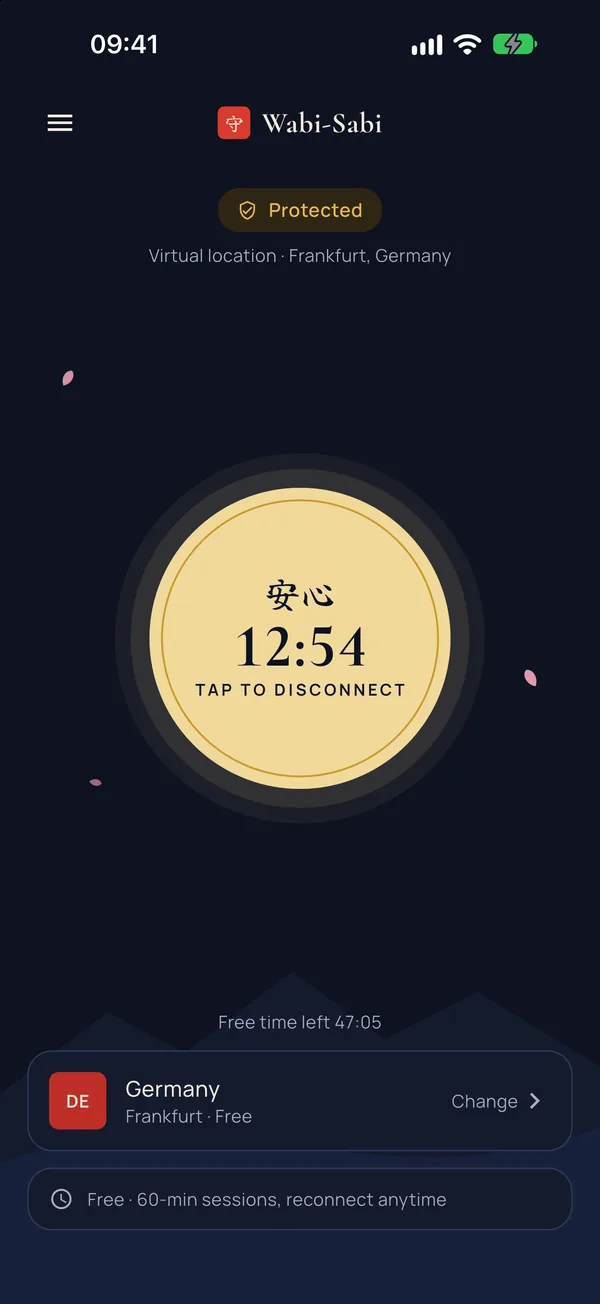
Calm by design.
Nothing to set up and nothing to sign up for. Open the app, tap once, you’re protected.
One tap
A modern WireGuard tunnel encrypts everything between your device and our server.
No activity logs
We don’t log the sites you visit, your traffic or your DNS queries.
No account
No email, no password, no sign-up. The app creates a random device ID — that’s all.
No ads, no trackers
No advertising, no analytics SDKs, no selling of data. Ever.
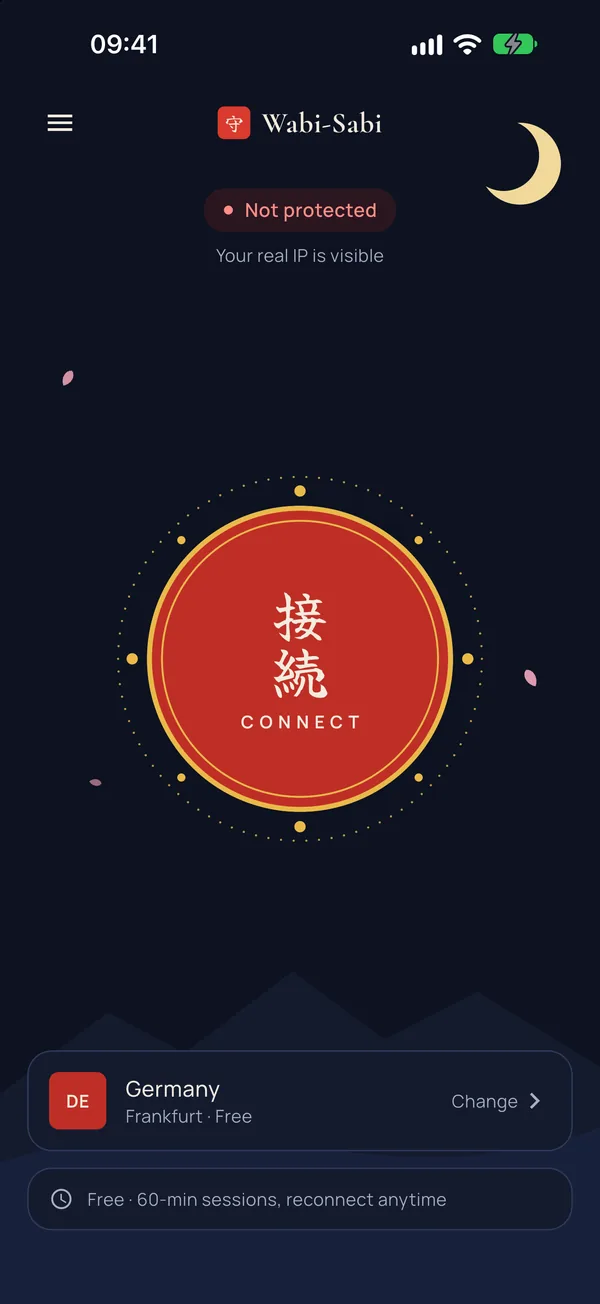
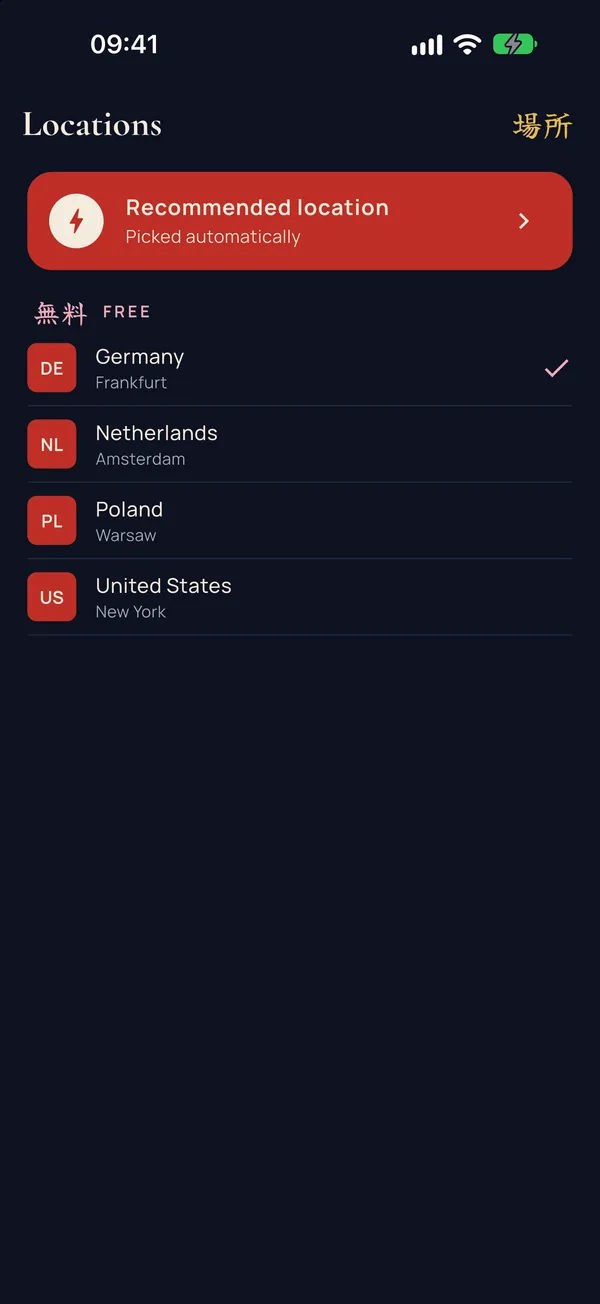
Four quiet places.
Servers in Europe and the United States. Switch between them even while connected.
Private, plainly.
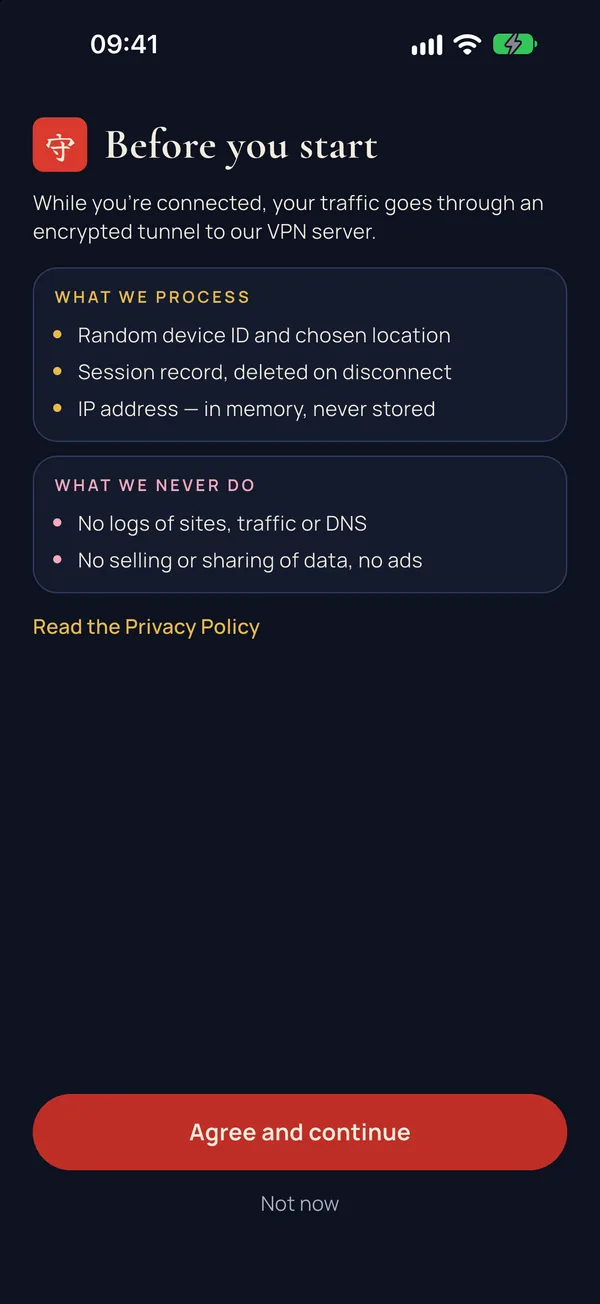
What happens to your data, in a few lines. The full version is in the Privacy Policy.
- Your traffic and DNS lookups go through an encrypted tunnel to our own servers — DNS is answered there, not by a third party.
- Your IP address is used only to route the connection and is never stored.
- While you’re connected we keep a short session record (device ID, location, start time). It’s deleted when you disconnect.
- Before anything is sent to our servers, the app shows what is processed and asks for your consent.
- You can withdraw consent and delete your data from the app’s menu at any time.
Our VPN commitment
We do not sell, rent or trade any data, do not use it for advertising or profiling, and do not disclose it to third parties. We run the service on servers we rent; there is no third-party VPN SDK inside the app.
Questions.
Is it really free?
Yes. There are no purchases, no account and no ads. Sessions last up to 60 minutes; when one ends, tap Reconnect and continue.
Which devices does it work on?
iPhone and iPad (App Store) and Android phones (Google Play).
Why does my phone ask to add a VPN configuration?
That’s how iOS and Android let an app create a VPN tunnel. Tap Allow (iPhone) or OK (Android) the first time you connect.
Do you keep logs?
We don’t log the sites you visit, your traffic, your DNS queries or your IP address. Details are in the Privacy Policy.
Something doesn’t work.
See Support or write to us at support@wabisabivpn.com.